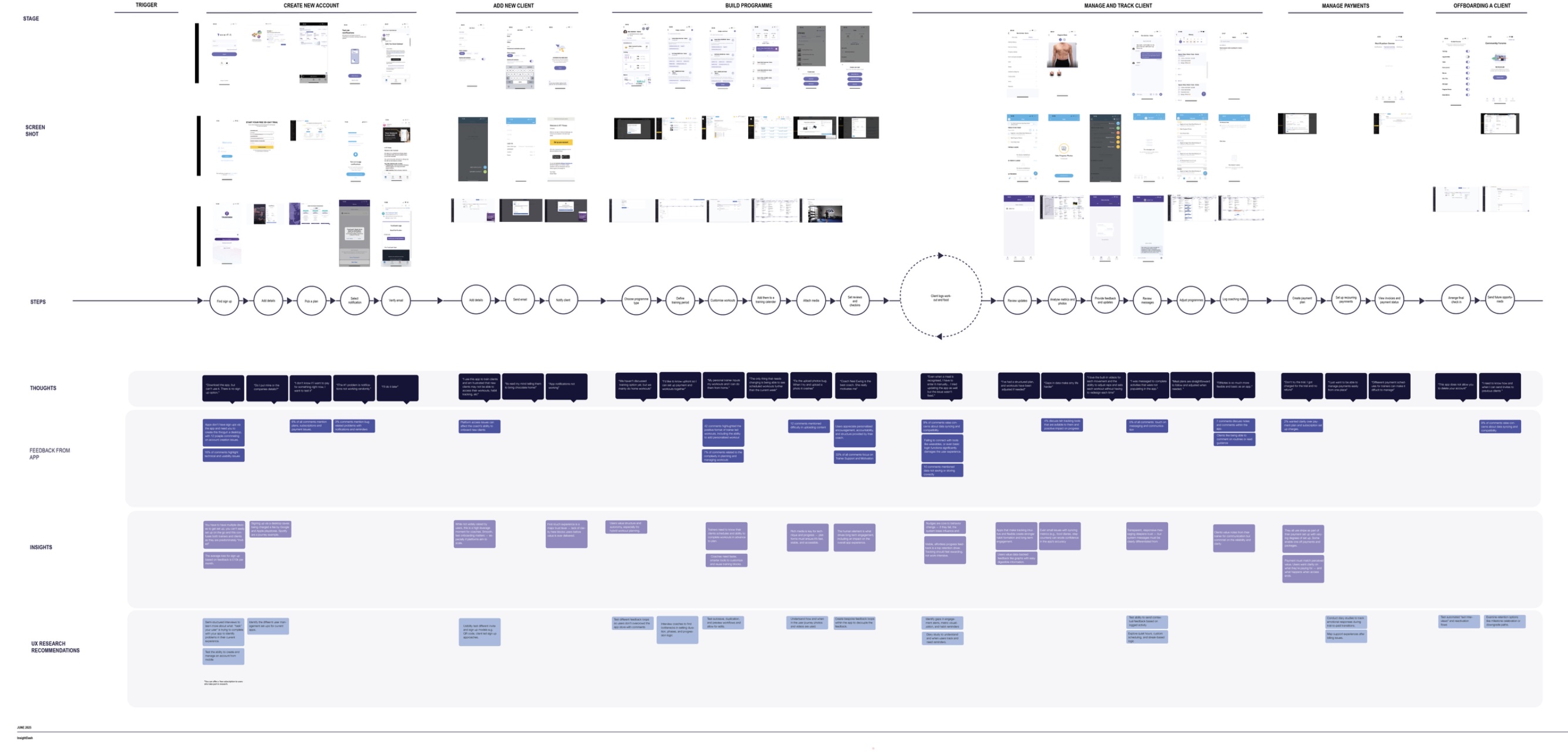
We’re going to do something called social media mining and we’re going to take your top competitors and map out their journeys, find some feedback and identity some issues they have
This is free data and free insight. People lie in interviews all the time, so don’t fool yourself int0thinking that’s the only way to get the truth. The Social Media Mining Map is about becoming the Sherlock Holmes of your market. You aren't just copying; you’re piecing together their flows, their touchpoints, and—most importantly—their failures to create a watertight opinion of your own.
01. The "Last 30 Days" Rule
Pull the last 30 days of reviews for up to five competitors. Why 30 days? . You need to know if the feedback is relevant to the version of the product that exists right now. Don't get "het up" on the competitor being a perfect match—pick a task-based competitor.
02. Check the "Hygiene"
Even the "big" players move fast and break things—usually accessibility. One in five people has a disability; if your competitor is ignoring accessibility, that’s a massive slice of the pie they’re handing to you on a silver platter. Don’t let accessibility be an afterthought.
03. The Screen Recording Hack
Stop relying on 2D screenshots. A screenshot can’t capture the "sigh" of frustration or the actual number of clicks it took you to get past that sign in page. It pulls you out of your "designer world" and into the "customer world."
04. Transcribe and Compare
Take those recordings, use AI to transcribe them, and draft those videos into user journeys. When you compare these human moments side-by-side, you see the gaps in the experience that a simple UI audit would never reveal.
05. Map Your Assumptions
Don't just map the competitor—map your own assumptions on top of theirs. See where your thinking converges and mark those as "hot spots." Use their journey to inspire your constraints and spark the questions you need to explore next.
Just because everyone else is doing something doesn’t mean it’s good design. The trap of "familiarity" is where innovation goes to die. We use the Mining Map to see the standard, understand the friction, and then build something better. We aren't looking for a "best practice" to mimic; we’re looking for a baseline to beat.
You don't need a massive budget or a lab to start this. You just need a screen recorder and a bit of curiosity.
This is a side quest card. Keep this is in your back pocket for a future you and move onto something you need. Recruitment.